
How to Track World Cup 2026 Matches: Real-Time Schedules and Updates



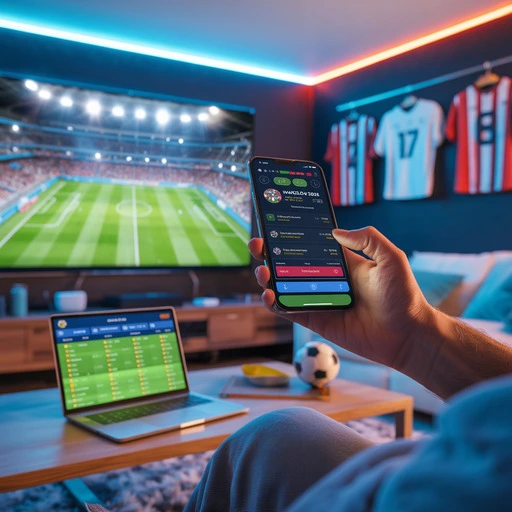
Tracking the 2026 World Cup will not be as simple as checking one kickoff time and turning on the TV. This tournament has 48 teams, 104 matches, 16 host cities and three host countries. That means more games, more time zones and more chances to miss a match because the kickoff time looked clear until it was not.
The good news is that you do not need a complicated system. You just need one reliable schedule, a way to follow your teams, and a few reminders before the matches that matter most.
Here is how to track World Cup 2026 matches without guessing kickoff times, missing group games or getting lost in social media posts that do not explain which time zone they mean.
Why World Cup 2026 Is Harder to Track
World Cup 2026 is the biggest edition of the tournament so far. The field has expanded to 48 teams, and the tournament will include 104 matches across Canada, Mexico and the United States. FIFA’s official schedule includes every fixture, date and venue, plus live results once the tournament begins.
That size creates one obvious problem for fans: the tournament is spread across a huge part of North America.
A match in New York/New Jersey, a match in Los Angeles and a match in Vancouver may all look simple on paper, but they sit in different local time zones. If you are watching from Europe, South America, Asia or Australia, the difference matters even more.
This is where most fans get caught. They see “8 PM kickoff” somewhere online, but they do not always check whether that means local stadium time, Eastern Time, Pacific Time or their own local time.
Start With the Full World Cup 2026 Schedule
The first step is simple: use one main schedule and stick to it.
The full World Cup 2026 schedule gives you one place to follow fixtures, match dates, venues and kickoff details. Instead of jumping between screenshots, social posts and random time-zone conversions, start from the schedule page and work from there.
This matters because World Cup schedules are not just about dates. You also need to know:
- which teams are playing;
- which group the match belongs to;
- where the match is being played;
- what time it kicks off;
- whether it overlaps with another important fixture.
For casual fans, the schedule is enough to plan the big games. For serious fans, it becomes the base layer for everything else: calendar reminders, group tracking, travel planning and live match updates.
Use Group Pages to Follow Specific Teams
If you do not want to track all 104 matches, do not try to. Start with the teams you actually care about.
The World Cup 2026 groups page lets you check each group and follow the path of specific countries. This is especially useful in the group stage, when several matches can happen on the same day and the table can change quickly.
For example, if you only care about Argentina, you do not need to scan the entire tournament every morning. You can focus on Group J, check Argentina’s fixtures and follow the group standings as results come in.
The same applies to fans following the United States, Mexico, Canada, England, Brazil, France, Portugal or any other team. Group pages help cut the noise and show which matches actually affect your team’s route to the knockouts.
Open Specific Match Pages for Important Fixtures
Some matches deserve more attention than others. A group-stage opener, a rivalry game, a final group match or a knockout fixture is worth checking on its own page.
From the full schedule, you can open specific match pages to check details for individual games. That is useful when you want to confirm the date, venue and matchup without scrolling through the entire tournament calendar.
This is especially helpful during the final group-stage round. Those matches can decide who wins the group, who finishes second and which third-placed teams survive. One goal in another stadium can change the whole knockout path.
If you are following more than one country, match pages make it easier to keep the key fixtures separate.
Check Venues Before You Plan Around a Match
Kickoff time is only one part of the picture. Venue also matters.
The World Cup 2026 venues page helps you see where matches are being played and how the tournament is spread across North America. This is useful for fans attending matches, but also for people watching from another country.
Why? Because venue location affects local kickoff time. A game in Dallas, Miami, Seattle, Toronto or Mexico City may appear at very different times depending on where you live.
If you are planning to watch several matches in one day, always check the venue and the kickoff time together. Do not save a match to your calendar based on the date alone.
Set Reminders Before the Matches That Matter
A clean schedule is good. A reminder system is better. The simplest setup is this:
- one reminder 24 hours before a key match;
- one reminder one hour before kickoff;
- one final reminder 15 minutes before kickoff.
That may sound excessive until the tournament starts and there are multiple games per day. During the group stage, it is very easy to lose track of time, especially if matches begin during work, late at night or early in the morning in your region.
For knockout games, reminders matter even more. You do not want to realize a quarter-final started 20 minutes ago because you trusted a screenshot from three days earlier.
How to Handle Overlapping Matches
The hardest part of tracking the World Cup is not always the number of matches. It is the overlap.
Final group-stage games often create the biggest problem because teams in the same group can play at the same time. That protects sporting integrity, but it makes life harder for fans.
The best approach is to choose your main screen before kickoff. Decide which match matters more, then keep the second game on another screen, live tracker or match page.
Do not rely only on goal notifications if you plan to watch both games later. One push alert can spoil the match you wanted to watch next.
For final group games, check the group table before kickoff. That way you know which result matters, which team needs a win and which game is most likely to decide the standings.
Avoid These Common Tracking Mistakes
The biggest mistake is trusting random match times on social media. A post that says “8 PM tonight” is almost useless unless it says which time zone it means.
Another mistake is saving fixtures too early and never checking them again. Tournament schedules can be updated, broadcasters can list times differently, and your own calendar settings can create problems if the time zone is wrong.
The third mistake is turning on too many alerts. If every goal, lineup, substitution and red card becomes a notification, you will start ignoring all of them. Track the matches and teams that actually matter to you.
A better system is simple: schedule page first, group page for your team, match page for key fixtures, and reminders only for games you really care about.
Best Way to Track World Cup 2026 Matches
The best way to track World Cup 2026 is to build a simple match routine before the tournament starts.
Use the World Cup 2026 schedule to see every fixture. Use the World Cup 2026 groups page to follow specific teams and standings. Use the World Cup 2026 venues guide to understand where matches are being played.
Then set reminders for the matches you do not want to miss.
That is enough for most fans. You do not need five apps, three spreadsheets and a group chat full of confused kickoff times. You need one trusted schedule, clear match pages and reminders that actually work.
World Cup 2026 will be huge. Tracking it should not feel like a full-time job.
FAQ
How can I track World Cup 2026 matches?
The easiest way is to use the full World Cup 2026 schedule, then follow specific groups, teams and match pages for the games you care about most.
Where can I see the full World Cup 2026 schedule?
You can check the full World Cup 2026 schedule for fixtures, dates, venues and match details.
How many matches are in World Cup 2026?
World Cup 2026 has 104 matches. It is the first edition with 48 teams and a new Round of 32.
How do I follow one team during World Cup 2026?
Use the World Cup 2026 groups page to find the team’s group, fixtures and path through the group stage.
Why are World Cup kickoff times confusing?
Kickoff times can be confusing because matches are played across different cities and time zones in Canada, Mexico and the United States. Always check the venue and your local time before setting reminders.
What should I do when two World Cup matches overlap?
Pick one main match to watch live, then follow the other through a second screen, match page or live tracker. This is especially useful during the final group-stage round.
Where can I check World Cup 2026 stadiums?
You can view the full World Cup 2026 venues guide to see the stadiums and host cities used during the tournament.
.webp)